Dimension
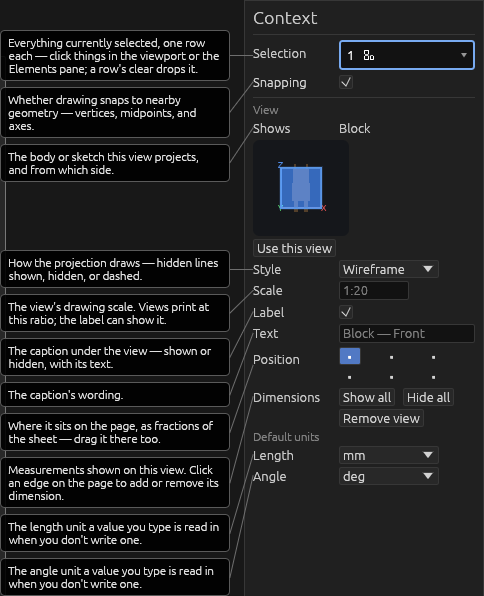
New views have no dimensions. The context pane has buttons to show/hide all dimensions.
With the Dimension tool:
- The context pane's Selection picker takes projected edges and corners, like Dimension in modelling. Space fans those out when they overlap.
- Click edges to show/hide dimensions for a line. Circles get a diameter (Ø) dimension; a cylinder's side wall gets its length. A dimension covers the whole straight line, not the piece between the faces that meet it.
- Shift+click two lines to show the angle between them.
- Click and drag dimensions to reposition them. The line snaps to the edge's perpendicular or to either face that makes that edge. A label that does not fit along the line sits on the line, past either end — drag it to pick the end.
- Arrowheads keep a constant size on the page; dimension lines keep a constant thickness. Scaling a projection lengthens the lines and moves the arrows, but does not grow them.
- Click two corners to measure between them; after the first, only other corners of the same body (on that view) are pickable. Measure in the context pane switches that one between the direct, horizontal and vertical distance. Esc drops a half-made one; Select the label to change or delete it.
Help