Projection
Adds a view — a body, several bodies, a whole component, or a sketch projected from a chosen direction — to the page.
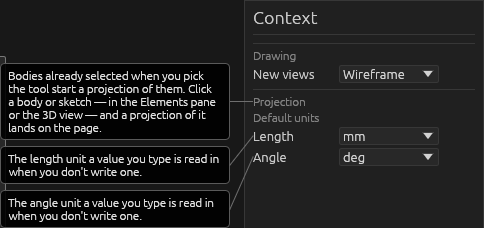
With the tool active, click a body, component, or sketch in the Elements pane: the view picks up the cursor. Move it where you want it and click (or press Enter) to drop it; Esc takes it back off the page. Dragging the row onto the page places it directly. Shift+click more bodies (or a component) to add them to the selected projection. Click a placed view to reopen its editor. Options:
- Direction: drag the navigation bear (smooth spin; the view snaps to the nearest face/edge/corner), click a face or corner, or use the numpad (4 left, 5 front, 6 right, 8 top, 2 bottom, 0 back). For an arbitrary angle, orbit the 3D model and click Use this view.
- Label: show/hide the caption, position it, or replace its text —
{parameter}fields update with the model; clear the field to restore the automatic caption. - Scale: type a print scale like
1:20(page mm : model mm). Clear to auto-fit. - Style: Visible edges, Wireframe (default), Shaded (grey), Colorful (shaded in each body's material color), or Loose pencil (the visible edges drawn by hand).
Help