 Mirror
Mirror reflects whole bodies across a plane — as a copy alongside the original, or fused into it to build a symmetric part from one half.
How to use it
- Pick the Mirror tool.
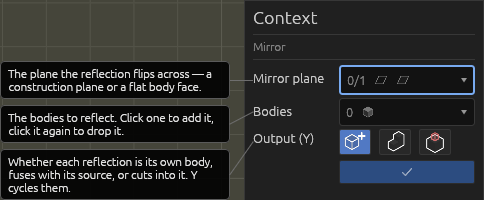
- Click a construction plane or a flat face to set the mirror plane — the plane or face under the cursor highlights as you hover. (Use the ✕ next to the plane in the context pane to pick a different one.)
- Click one or more bodies to reflect — each body highlights on hover. Re-clicking removes one. A translucent ghost previews each reflection as you go.
- Choose the Output: New body (the default), Join body, or Cut.
- Press Enter.
New body gives each picked body a reflected copy — a real body you can use in further operations — and the originals stay exactly where they were: a mirror adds geometry rather than moving it.
Join body fuses each reflection into its own source instead, which is how you build a symmetric part from one modelled half. Cut subtracts the reflection from its source, for a mirrored pocket. Both consume the source into the result; switch back to New body to get it back.
Edit mirror (double-click the operation, or the button in the context pane) re-opens the tool with its plane and bodies loaded, so you can change either later. Deleting the mirror removes just the reflected copies.
Because the reflection goes through the geometry kernel, mirrored bodies combine into booleans and export as real STEP surfaces just like any other body.
Inside a sketch
With a sketch open, Mirror reflects sketch geometry instead of bodies:
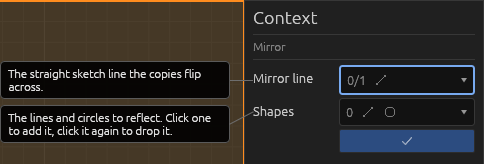
- Click a straight line, a sketch axis (LX/LY), or an in-plane world axis to use as the mirror axis.
- Click the shapes (lines and circles) to reflect. A live preview shows the result.
- Press Enter.
The reflected lines and circles are added to the sketch, grouped under the mirror operation. Edit or delete it later just like the 3D version.
Help
See Scripting.