 Offset
Offset makes a parallel copy of sketch edges a constant distance away — wall thicknesses, clearances, insets.
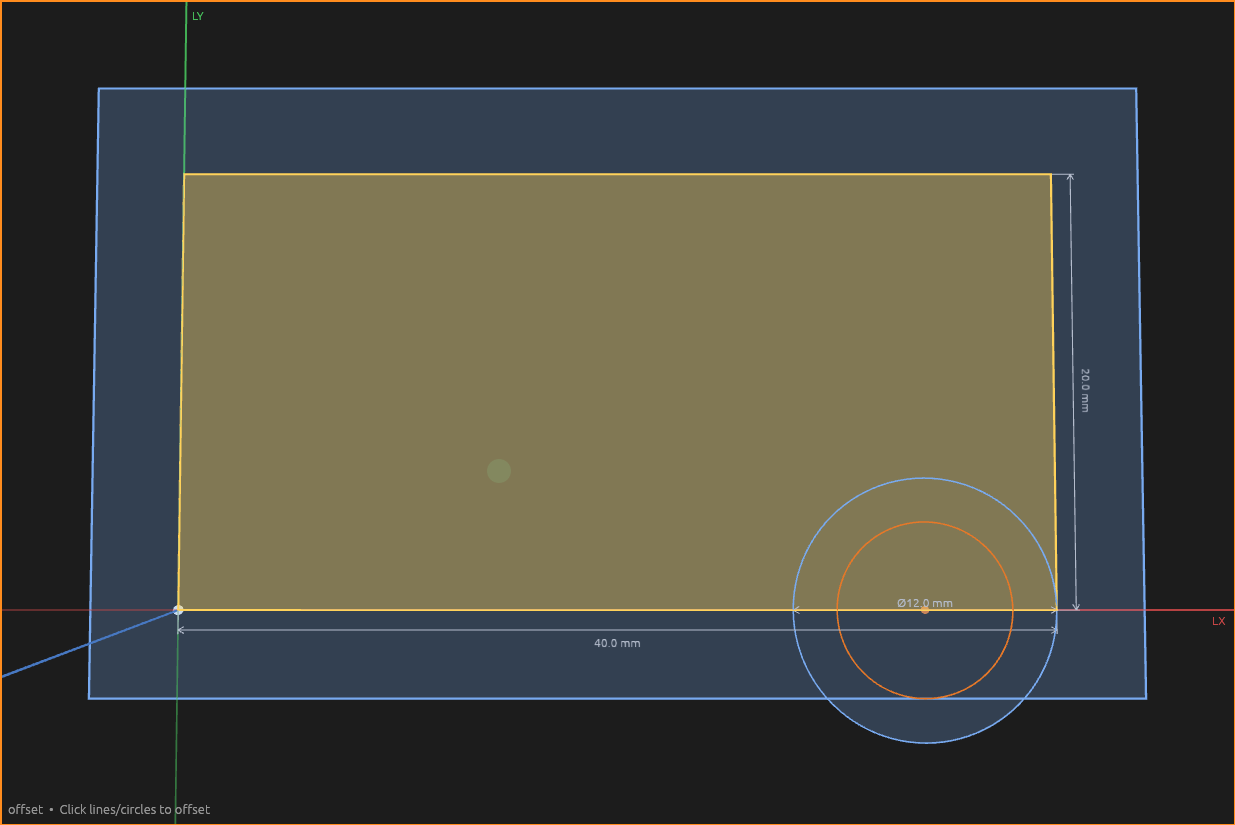
How to use it
- Pick the Offset tool. Outside a sketch, click a face to sketch on it first.
- Click lines and circles to add them to the offset (click again to remove). Click a face — a closed sketch profile, or a body face — to take all of its edges at once.
- Click the push-pull handle to grab it (click again to drop), or type a distance. A typed value sticks. Positive grows a closed loop or circle; negative shrinks — or flips an open chain's side.
- Press Enter.
Lines that connect end-to-end offset as one chain with mitered corners; a circle's radius grows or shrinks. The copies land under an Offset element beneath the sketch in the Elements pane and follow their sources as the sketch changes — the distance is an expression, so parameters work. Edit offset on the element changes anything later.
Toggle Construction (or press X) to emit the copies as construction geometry — e.g. a guide line a fixed clearance from a wall. The preview goes dashed to match.
Help
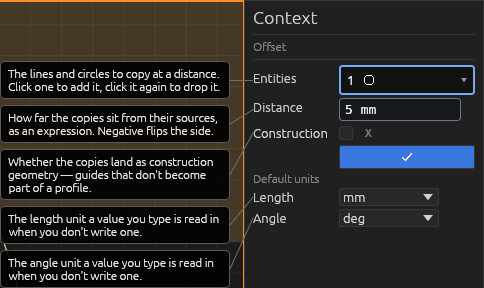
See Scripting.