 Revolve
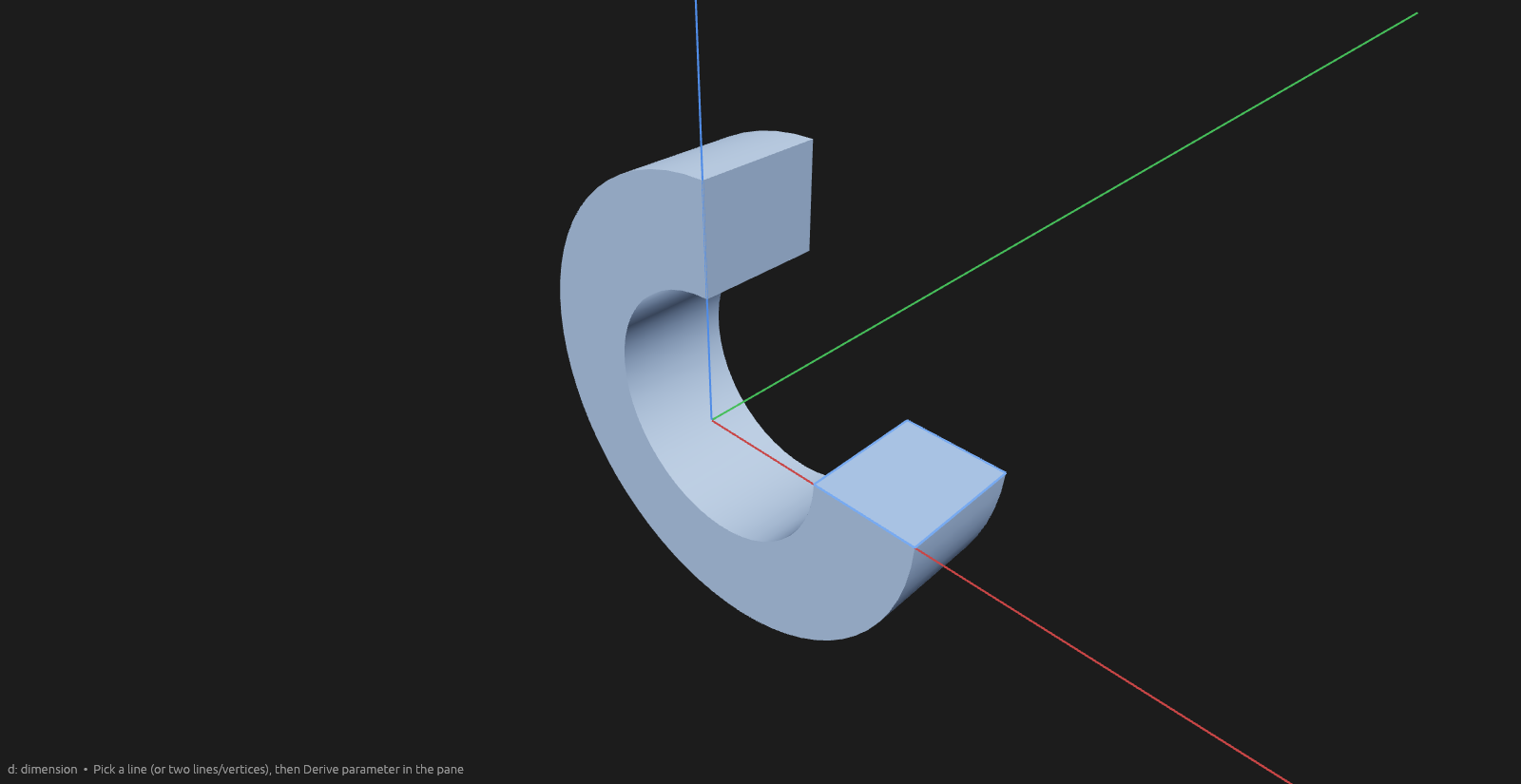
Revolve spins a flat profile around an axis into a solid — rings, shafts, vases, grooves.
How to use it
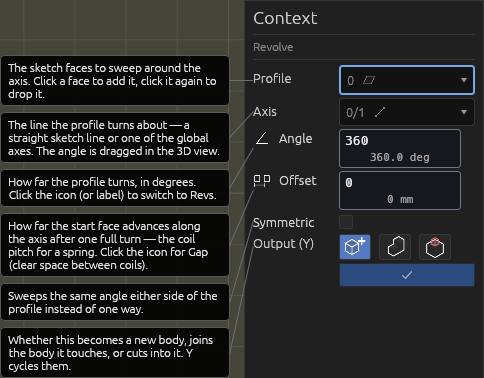
- Pick the Revolve tool and click one or more profile faces (same sketch plane).
- Click the axis: any line in the sketch — construction and projected lines work — or one of the origin's X/Y/Z axes.
- Set the Angle (or click the icon / label for Revs — decimals and
negatives allowed). Drag the round handle around the arc, or type. Defaults to
360°/1. - Optional Offset (coil pitch): how far the start face advances along the axis after one full turn — use it to wind a spring. The icon toggles to Gap (clear space between coils). Both accept negatives.
- Symmetric sweeps half the angle to each side of the profile plane. Choose where the
result lands:
- New body — the revolve stands alone.
- Add to touching bodies — it fuses into whatever it touches.
- Cut bodies — it's subtracted from bodies you click into the Cut bodies picker.
- Enter commits; Esc cancels.
The profile can't cross its axis; keep it entirely on one side.
Help
Sketching on the result
Every flat face of a revolved body accepts new sketches, just like an extrusion's caps and side walls: a partial sweep's two flat profile ends, and the washer-shaped faces swept by any profile edge that runs perpendicular to the axis (a full 360° ring keeps those flat ends too). Hover them with the Sketch tool and click to start drawing there.