 Shape
Shape
Shortcut: B — pressing it again cycles cuboid → cylinder → sphere.
Shape places a solid straight into 3D: a cuboid, a cylinder, or a sphere. No sketch, no profile. The toolbar button shows the shape you used last.
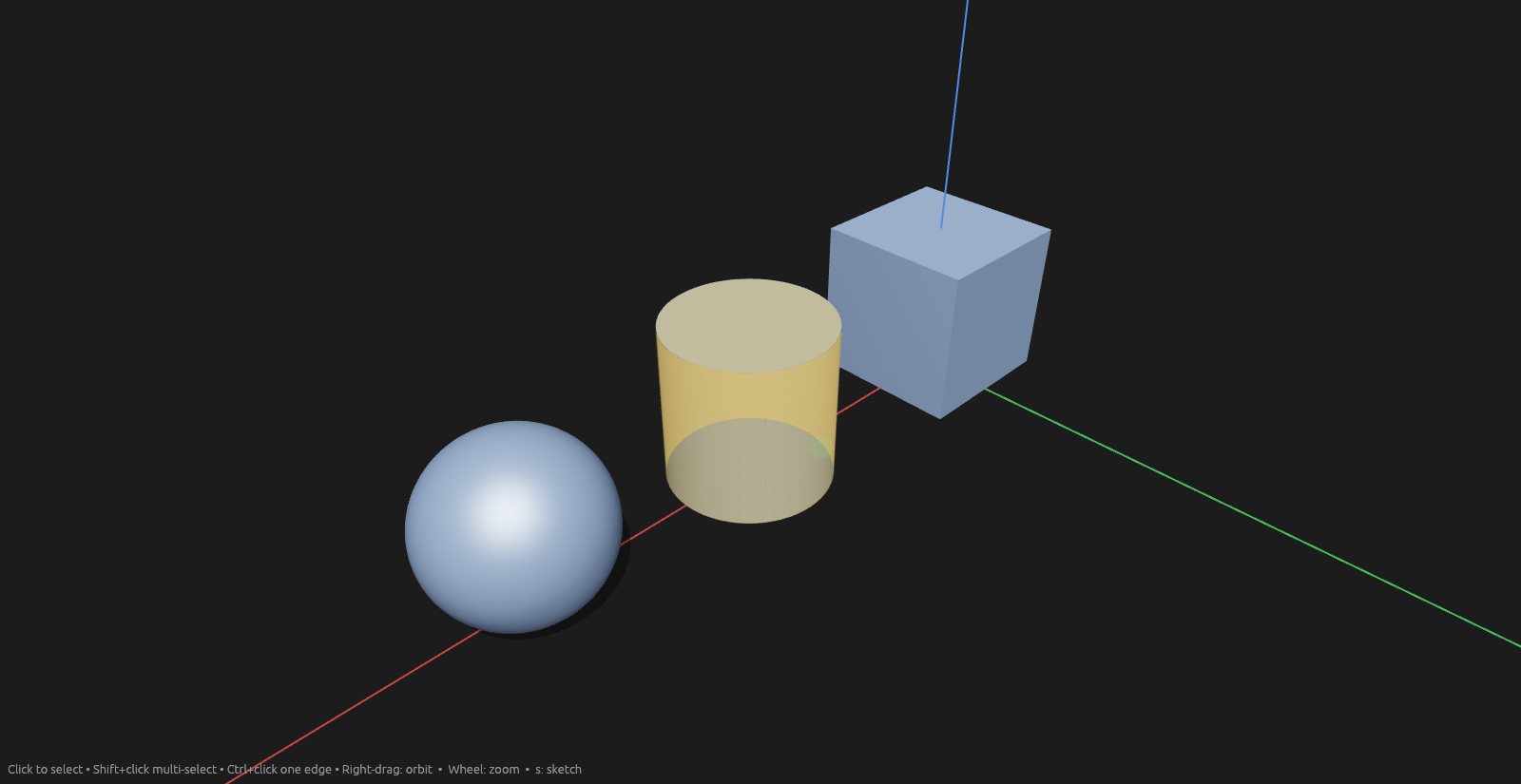
The shapes
| Shape | Dimensions | |
|---|---|---|
| Cuboid | Width, Depth, Height |
 | Cylinder | Radius, Height |
 | Sphere | Radius |
Every dimension is an expression, so a shape follows parameters like anything else. The shape sits on the plane it's placed on and grows along that plane's normal: a cuboid and a cylinder from the middle of their base, a sphere from the point it rests on. Height follows the cursor off the plane in either direction.
Placing one
The shape follows your cursor until you click — a cuboid by its corner, a cylinder and a sphere by their centre. The first click puts it down — on a face or plane under the cursor, otherwise on the ground. The last click sets how far it grows, either way off that plane.
| Shape | Click 1 | Click 2 | Click 3 |
|---|---|---|---|
| Cuboid | One base corner | The opposite corner | The height |
| Cylinder | The centre | The radius | The height |
| Sphere | Where it rests | The radius | — |
Each step offers its own field, ready for typing: type a size instead of clicking and that dimension stops following the cursor. The sizes also read out in the 3D view beside the edges they drive, with the one you're setting framed in amber. Enter creates it; Esc clears what's in progress.
Snapping — the context pane's toggle, shared with the drawing tools — pulls a placement click onto the nearest body corner or edge midpoint, ringed in cyan like the snaps in a sketch.
Editing
A shape is its own row in the Elements pane, named by kind. Double-click it to reopen the tool with its dimensions loaded; Apply changes re-points it, keeping its body.
See Scripting.